Corporeal
Corporeal is a password manager, somewhat inspired by KeePass Password Safe. It strives to keep it's UI simple and straightforward. Rather than using a category system, passwords are organized in a flat list, a search/filter function making sure you'll find the one you need. All the core functionality you would expect is there. Import from and export to KeePass XML files is supported (which in turn can export to a variety of formats), so you'll be able to take your passwords elsewhere if you decide that Corporeal is not for you after all.
So are your passwords secure? Reasonably secure, yes. If you want to protect classified information, this is not the tool to do the job. Otherwise, it might be. See the security section below and decide for yourself.
The source code is available under a GPL license, see the download section.
screenshots
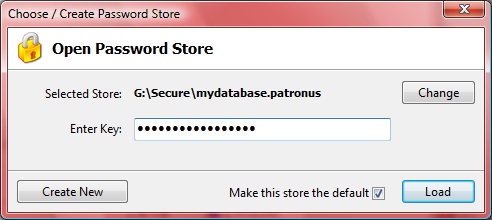
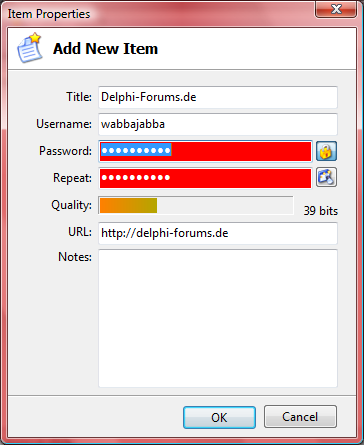
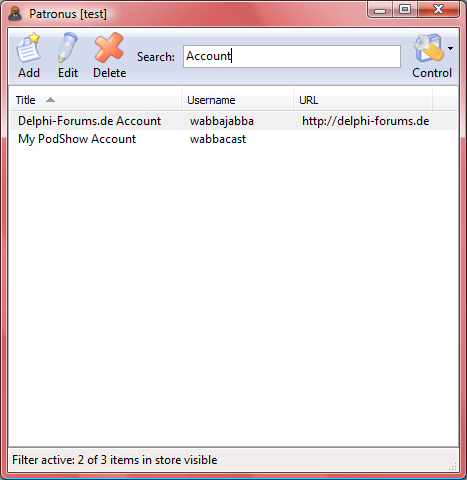
security
Security features that are implemented:
- The password store file is encrypted using the AES/Rijndael blockcipher, with a key size of 256 bit, and a block size of 128 bit.
- The key used to encrypt the store is a SHA-256 hash derived from the password provided by the user.
- The password edit controls do intercept the WM_CUT, WM_COPY, WM_GETTEXT, WM_GETTEXTLENGTH and EM_SETPASSWORDCHAR messages and do not allow other applications to retrieve the password that way.
- The workspace automatically locks itself and closes the current store file after a certain amount of inactivity. You will have to enter the password again to gain access.
Security features that are (currently) not implemented:
- No in-memory protection of any kind, at all! An attacker will be able to extract the passwords, usernames, and other data of the current and previously opened store files from the process memory space while Corporeal is running, and potentially afterwards. This can even be possible if the store is closed/locked, or other store files have been loaded in the meantime. If you are using a NT-based operating system, running Corporeal with Administrator privileges (while you yourself are not) can in part protect you against this.
- KeePass tries to protect against dictionary attacks using multiple key transformation rounds before the actual encrypting/decryption of the database takes place. Corporeal does not do this.
downloads
The latest version is 1.16, published 2011-12-03. See the Changelog.
Please note: Upon downloading, you agree that this software is provided on an "AS IS" basis, WITHOUT WARRANTY OF ANY KIND.
- Download corporeal-setup.exe (1.7 MB)
- Download corporeal.zip (1.6 MB)
- Download corporeal-source.zip (278.8 kB)
localization
Currently, the interface supports the following langagues:
-
English, German.
If you want to help adding more languages to that list, download the template file, translate it using a tool like PoEdit or PoTranslator, and email me the resulting .po file. I'll include it in the next release, giving you proper credit, of course.
To test your translation, copy the compiled .mo file to to the following
location, creating directories as necessary:
- {Corporeal Directory}\locale\xx\LC_MESSAGES\default.mo
Replace xx with the language code, e.g. "de", "fr" etc.
changelog
1.16 (12-04-2011)
- Fixed: Search feature was broken in 1.15.
1.15 (12-03-2011)
- Fixed issue with hanging processes, existing Corporeal instance sometimes not coming back from tray if triggered via a new process.
- Password generator: Increase default length to 15.
- Now compiled with Delphi 2009, various third party upgrades.
1.11 (03-26-2009)
- Fixed: Search edit field is now again automatically focused on start.
- Fixed: KeePass export now works on Vista as well.
1.10 (04-22-2007)
- Fixed a rare exception that occured after the "Change Master Key" functionality was used.
- Fixed a problem that caused some toolbar buttons to disappear if the window was made small enough.
- Fixed a bug where the main window position was reset when the workspace was locked.
- Fixed a bug which enabled password spy utilities to easily retrieve the preloaded contents of an edit field.
- Now compiled with Delphi 2007, improved Vista compatiblity.
- Improved TaskDialog emulation on Non-Vista systems.
- Renamed the program for legal reasons from Patronus to Corporeal.
1.02 (03-31-2007)
- First public release.
1.01 (03-27-2007)
- Added option to limit to one instance. This is enabled per default.
1.0 (January 2007)
- Non-public release.